
GitHub 을 통한 사이트 만들기. 4. jekyll 테마 등록하기
1. GitHub 을 통한 사이트 만들기. 1. GitHub Pages 만들기
2. GitHub 을 통한 사이트 만들기. 2. ruby, jekyll 설치
3. GitHub 을 통한 사이트 만들기. 3. GitHub 연동
★ 4. GitHub 을 통한 사이트 만들기. 4. jekyll 테마 등록하기
아래 사이트에서 맘에 드는 테마를 가져와서 사용하면 된다.
https://jekyllrb-ko.github.io/resources/
> https://jamstackthemes.dev/ssg/jekyll/
> http://jekyllthemes.org/
> https://jekyllthemes.io/
1. GitHub사이트 접속 ( http://jekyllthemes.org/themes/devlopr/ )
> https://github.com/sujaykundu777/devlopr-jekyll
2. Code > Download ZIP 선택.

3. 다운받은 파일의 압축을 풀고. 앞서 생성한 프로젝트 폴더에 복사한다.
D:\..\github_io_jekyll * 기존 폴더의 파일들 삭제 후 복사.
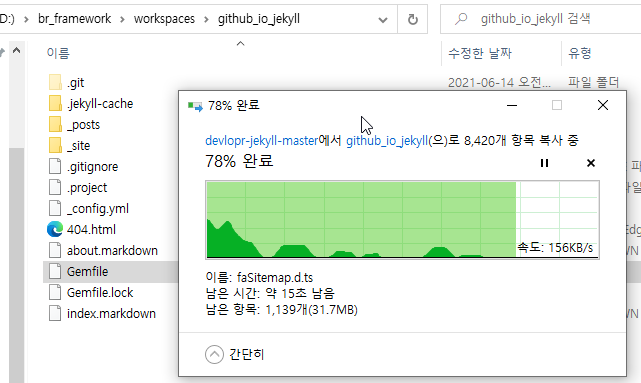
4. 프로젝트 설정 (의존요소 추가), 프로젝트 폴더로 이동 : D:\br_framework\workspaces\github_io_jekyll
$ gem install bundler * bundler(루비 의존성 분리도구) 설치
$ bundler -v * bundler설치 확인
$ bundle add jekyll // Bundler 를 사용해서 우리의 새 프로젝트에 Jekyll 을 의존요소로서 추가
$ bundle update
$ bundle install
$ bundle exec jekyll -v // 누락 된 gem 에러발생시 bundle install 필요.\
D:\br_framework\workspaces\github_io_jekyll>ruby -v
ruby 2.7.3p183 (2021-04-05 revision 6847ee089d) [x64-mingw32]
D:\br_framework\workspaces\github_io_jekyll>gem install bundler
Fetching bundler-2.2.20.gem
Successfully installed bundler-2.2.20
Parsing documentation for bundler-2.2.20
Installing ri documentation for bundler-2.2.20
Done installing documentation for bundler after 8 seconds
1 gem installed
D:\br_framework\workspaces\github_io_jekyll> bundler -v
Bundler version 2.2.20
D:\br_framework\workspaces\github_io_jekyll>bundle add jekyll
[!] There was an error parsing `injected gems`: You cannot specify the same gem twice with different version requirements.
You specified: jekyll (~> 4.2, >= 4.1.1) and jekyll (>= 0). Gem already added. Bundler cannot continue.
# from injected gems:1
# -------------------------------------------
> gem "jekyll", ">= 0"
# -------------------------------------------
D:\br_framework\workspaces\github_io_jekyll>bundle exec jekyll -v
Could not find backports-3.21.0 in any of the sources
Run `bundle install` to install missing gems.
D:\br_framework\workspaces\github_io_jekyll>bundle update
Fetching gem metadata from https://rubygems.org/..........
Resolving dependencies....
Using public_suffix 4.0.6
Using addressable 2.7.0
Fetching backports 3.21.0
Installing backports 3.21.0
Using bundler 2.2.20
Using colorator 1.1.0
Using concurrent-ruby 1.1.9 (was 1.1.8)
Using eventmachine 1.2.7 (x64-mingw32)
Using http_parser.rb 0.6.0
Using em-websocket 0.5.2
Fetching faraday-em_http 1.0.0
Installing faraday-em_http 1.0.0
Fetching faraday-em_synchrony 1.0.0
Installing faraday-em_synchrony 1.0.0
Fetching faraday-excon 1.1.0
Installing faraday-excon 1.1.0
Fetching faraday-net_http 1.0.1
Installing faraday-net_http 1.0.1
Fetching faraday-net_http_persistent 1.1.0
Installing faraday-net_http_persistent 1.1.0
Fetching multipart-post 2.1.1
Installing multipart-post 2.1.1
Fetching ruby2_keywords 0.0.4
Installing ruby2_keywords 0.0.4
Fetching faraday 1.4.2 (was 1.4.1)
Installing faraday 1.4.2 (was 1.4.1)
Using ffi 1.15.1 (x64-mingw32) (was 1.15.0)
Using forwardable-extended 2.6.0
Using i18n 1.8.10
Using sassc 2.4.0 (x64-mingw32)
Using jekyll-sass-converter 2.1.0
Using rb-fsevent 0.11.0
Using rb-inotify 0.10.1
Using listen 3.5.1
Using jekyll-watch 2.2.1
Using rexml 3.2.5
Using kramdown 2.3.1
Using kramdown-parser-gfm 1.1.0
Using liquid 4.0.3
Using mercenary 0.4.0
Using pathutil 0.16.2
Using rouge 3.26.0
Using safe_yaml 1.0.5
Using unicode-display_width 1.7.0
Using terminal-table 2.0.0
Using jekyll 4.2.0
Fetching rack 1.6.13
Installing rack 1.6.13
Fetching rack-protection 1.5.5
Installing rack-protection 1.5.5
Fetching tilt 2.0.10
Installing tilt 2.0.10
Fetching sinatra 1.4.8
Installing sinatra 1.4.8
Fetching multi_json 1.15.0
Installing multi_json 1.15.0
Fetching rack-test 1.1.0
Installing rack-test 1.1.0
Fetching sinatra-contrib 1.4.7
Installing sinatra-contrib 1.4.7
Fetching jekyll-admin 0.11.0
Installing jekyll-admin 0.11.0
Fetching jekyll-feed 0.13.0
Installing jekyll-feed 0.13.0
Fetching sawyer 0.8.2
Installing sawyer 0.8.2
Fetching octokit 4.21.0
Installing octokit 4.21.0
Fetching jekyll-gist 1.5.0
Installing jekyll-gist 1.5.0
Fetching jekyll-menus 0.6.1
Installing jekyll-menus 0.6.1
Fetching jekyll-paginate 1.1.0
Installing jekyll-paginate 1.1.0
Fetching jekyll-seo-tag 2.6.1
Installing jekyll-seo-tag 2.6.1
Fetching jekyll-sitemap 1.4.0
Installing jekyll-sitemap 1.4.0
Fetching trollop 2.9.9
Installing trollop 2.9.9
Fetching jgd 1.12
Installing jgd 1.12
Fetching nio4r 2.5.7
Installing nio4r 2.5.7 with native extensions
Fetching puma 5.3.2 (was 5.3.1)
Installing puma 5.3.2 (was 5.3.1) with native extensions
Fetching rack-jekyll 0.5.0
Installing rack-jekyll 0.5.0
Using thread_safe 0.3.6
Using tzinfo 1.2.9
Using tzinfo-data 1.2021.1
Using wdm 0.1.1
Bundle updated!
Post-install message from trollop:
! The 'trollop' gem has been deprecated and has been replaced by 'optimist'.
! See: https://rubygems.org/gems/optimist
! And: https://github.com/ManageIQ/optimist
D:\br_framework\workspaces\github_io_jekyll>bundle install
Using public_suffix 4.0.6
Using addressable 2.7.0
Using backports 3.21.0
Using bundler 2.2.20
Using colorator 1.1.0
Using concurrent-ruby 1.1.9
Using eventmachine 1.2.7 (x64-mingw32)
Using http_parser.rb 0.6.0
Using em-websocket 0.5.2
Using faraday-em_http 1.0.0
Using faraday-em_synchrony 1.0.0
Using faraday-excon 1.1.0
Using faraday-net_http 1.0.1
Using faraday-net_http_persistent 1.1.0
Using multipart-post 2.1.1
Using ruby2_keywords 0.0.4
Using faraday 1.4.2
Using ffi 1.15.1 (x64-mingw32)
Using forwardable-extended 2.6.0
Using i18n 1.8.10
Using sassc 2.4.0 (x64-mingw32)
Using jekyll-sass-converter 2.1.0
Using rb-fsevent 0.11.0
Using rb-inotify 0.10.1
Using listen 3.5.1
Using jekyll-watch 2.2.1
Using rexml 3.2.5
Using kramdown 2.3.1
Using kramdown-parser-gfm 1.1.0
Using liquid 4.0.3
Using mercenary 0.4.0
Using pathutil 0.16.2
Using rouge 3.26.0
Using safe_yaml 1.0.5
Using unicode-display_width 1.7.0
Using terminal-table 2.0.0
Using jekyll 4.2.0
Using rack 1.6.13
Using rack-protection 1.5.5
Using tilt 2.0.10
Using sinatra 1.4.8
Using multi_json 1.15.0
Using rack-test 1.1.0
Using sinatra-contrib 1.4.7
Using jekyll-admin 0.11.0
Using jekyll-feed 0.13.0
Using sawyer 0.8.2
Using octokit 4.21.0
Using jekyll-gist 1.5.0
Using jekyll-menus 0.6.1
Using jekyll-paginate 1.1.0
Using jekyll-seo-tag 2.6.1
Using jekyll-sitemap 1.4.0
Using trollop 2.9.9
Using jgd 1.12
Using nio4r 2.5.7
Using puma 5.3.2
Using rack-jekyll 0.5.0
Using thread_safe 0.3.6
Using tzinfo 1.2.9
Using tzinfo-data 1.2021.1
Using wdm 0.1.1
Bundle complete! 17 Gemfile dependencies, 62 gems now installed.
Use `bundle info [gemname]` to see where a bundled gem is installed.
D:\br_framework\workspaces\github_io_jekyll>bundle add jekyll
[!] There was an error parsing `injected gems`: You cannot specify the same gem twice with different version requirements.
You specified: jekyll (~> 4.2, >= 4.1.1) and jekyll (>= 0). Gem already added. Bundler cannot continue.
# from injected gems:1
# -------------------------------------------
> gem "jekyll", ">= 0"
# -------------------------------------------
D:\br_framework\workspaces\github_io_jekyll>bundle exec jekyll -v
Doing `require 'backports'` is deprecated and will not load any backport in the next major release.
Require just the needed backports instead, or 'backports/latest'.
jekyll 4.2.0
D:\br_framework\workspaces\github_io_jekyll>bundle exec jekyll serve --watch
Doing `require 'backports'` is deprecated and will not load any backport in the next major release.
Require just the needed backports instead, or 'backports/latest'.
Configuration file: D:/br_framework/workspaces/github_io_jekyll/_config.yml
Source: D:/br_framework/workspaces/github_io_jekyll
Destination: D:/br_framework/workspaces/github_io_jekyll/build
Incremental build: disabled. Enable with --incremental
Generating...
Jekyll Feed: Generating feed for posts
done in 77.357 seconds.
Auto-regeneration: enabled for 'D:/br_framework/workspaces/github_io_jekyll'
JekyllAdmin mode: production
Server address: http://127.0.0.1:4000/
Server running... press ctrl-c to stop.
5. 서버 실행 * 프로젝트 폴더로 이동 : D:\br_framework\workspaces\github_io_jekyll
$ bundle exec jekyll serve --watch // jekyll 서버실행
6. 사이트 확인

7. GitHub 커밋 및 GitHub.io 확인.
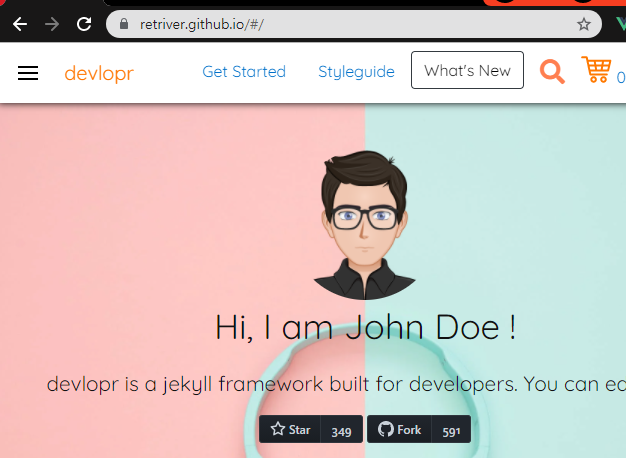
8. 수정후 서버 재실행
index.html -> home.html "Hi, I am {{site.author}} "
_config.yml 파일 수정후 서버 재실행해야 정상 반영됨.
* GitHub 사이트 반영은 커밋후 3분내 자동 반영되는듯.

D:\br_framework\workspaces\github_io_jekyll>bundle exec jekyll serve --watch

와우..알아야 할것도 많다...(한번 봤으니 패스.._-_)
참고.
https://jekyllrb-ko.github.io/tutorials/using-jekyll-with-bundler/